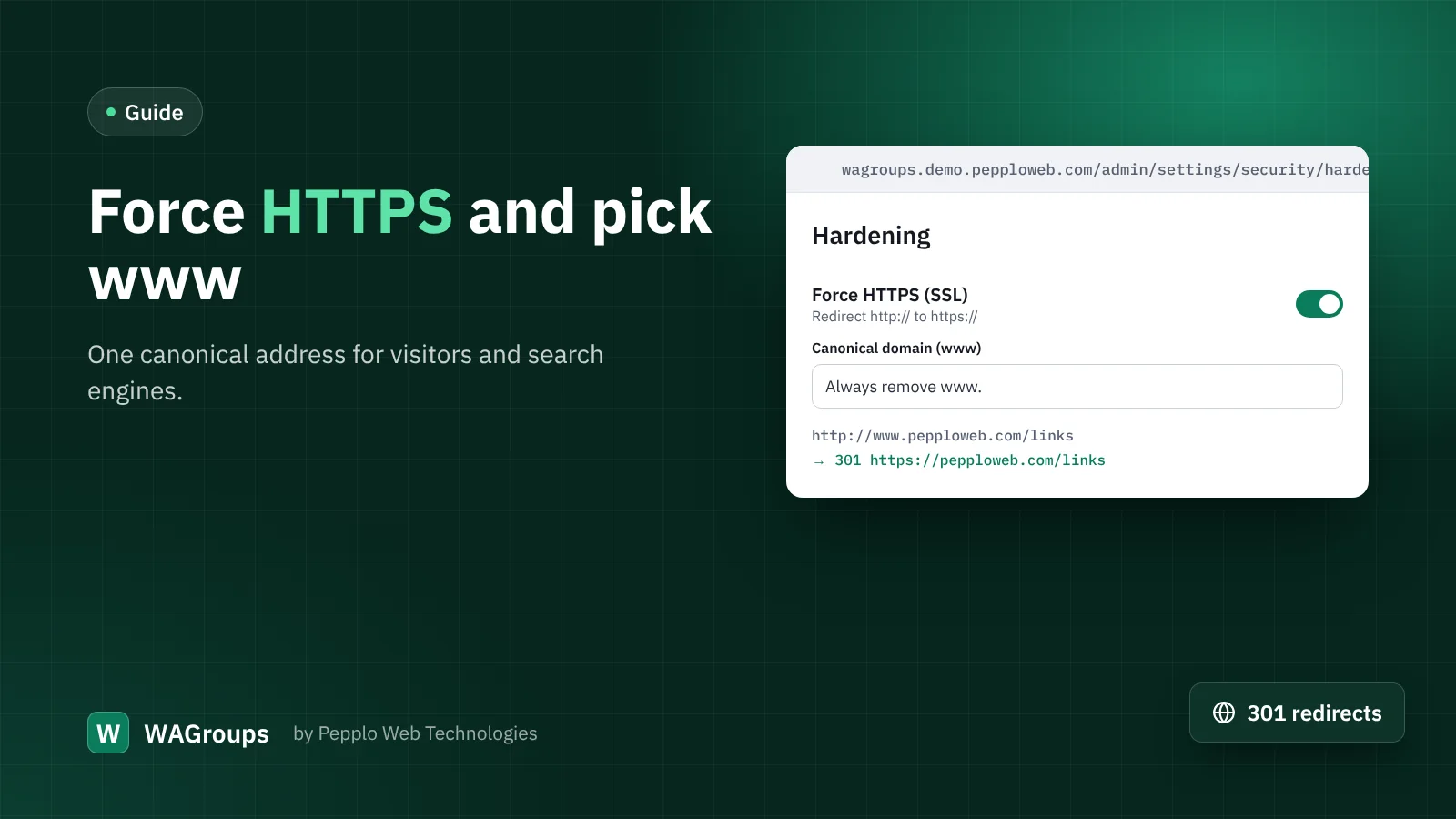
To a search engine, http://pepploweb.com, https://pepploweb.com and https://www.pepploweb.com can look like three different sites with the same content. Links pointing to your directory get split between them, and the wrong version may appear in results. A canonical address fixes that.
What WAGroups already does
Every page prints a canonical tag pointing to its preferred address, and the sitemap lists one version of each page. That tells search engines what you prefer. Redirects make it a rule: anyone who arrives on another version is moved to the right one.
Turning it on
- Install SSL first. Open your site with
https://and make sure there is no warning, for both thewwwand non-wwwversions. - Open Security and access › Hardening in WAGroups.
- Switch on Force HTTPS.
- Choose the canonical domain: "Always add www." or "Always remove www.". Pick whichever you already use in your site address and on social profiles.
- Update the site address under General settings › Site identity to match.
Safe by design
- Redirects are permanent (301) for page visits and keep the method (308) for form submissions, so nothing breaks mid-form.
- They never apply to
localhost,.testor.localaddresses or to IP addresses, so a staging copy keeps working. - Behind a CDN or proxy, WAGroups reads the
X-Forwarded-Protoheader to avoid redirect loops.
After switching
In Google Search Console, add the canonical version as your property and submit /sitemap.xml again. Old links will keep working — they now land on the right address and pass their value to it.

0 comments